How the Continuity Supervisor Works
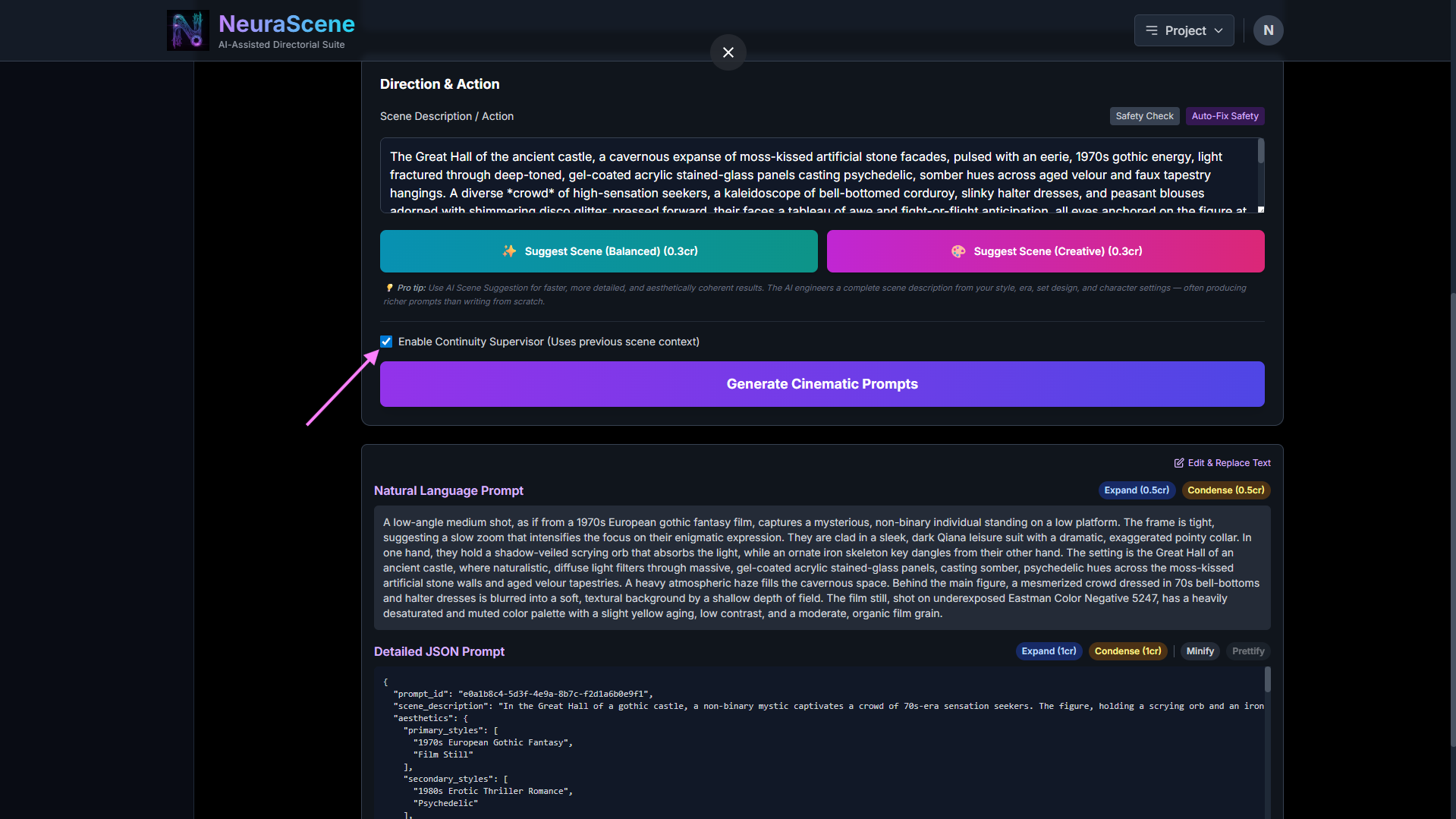
The Continuity Supervisor does one specific thing: when you click "Generate Cinematic Prompts" at Stage 2, it:
Grabs the last/first frame image from the previous scene in your storyboard
Sends that image to Gemini Vision (the Pro model) with your new scene description text
Gemini analyzes the image for visual details — clothing, props, lighting, hand positions, etc.
Appends a "Consistency Injection" note to your prompt, e.g.: "Ensure Character wears a torn blue shirt. Keep lighting cooler. Gun remains in left hand."
This modified prompt then gets fed into
generateCinematicPrompts()to produce the JSON/NL output
That's it. It's a visual consistency checker for the prompt generation step only.
The Workflow
Intended workflow loop is as follows:
✅ Set up style/era/genre/set design at Stage 1 (World Building) — do this once per segment
✅ Write or AI-suggest a scene description at Stage 2 → Generate Cinematic Prompts → get JSON/NL
✅ Generate first frame at Stage 3 (Principal Photography)
✅ Add dialogue markers + write action prompt at Stage 4 (Motion & VFX) → Generate Video
✅ Save to storyboard, capture last frame → use as next scene's first frame
✅ Loop back to Stage 4 for subsequent shots in the same setting — new action prompt, new dialogue, same visual context
You do NOT need to regenerate the full JSON/NL prompt at Stage 2 for every 8-second clip in the same setting. The JSON/NL prompt is the "shooting script" — it defines the look of the scene. The action prompt at Stage 4 defines what happens in each specific clip.
When You WOULD Go Back to Stage 2
You'd go back to Stage 2 and re-generate prompts when:
The setting changes (new location, new time of day, new characters enter)
The visual style shifts (different era, different genre blend)
You want the AI to re-engineer the master scene description to reflect story progression
Why Is the Continuity Toggle at Stage 2?
Because it only activates during "Generate Cinematic Prompts" — that's the only button it affects. It's correctly placed next to the button it modifies. It does not affect the action prompt at Stage 4, and it does not affect video generation.
The suggestAnimationPrompt function at Stage 4 has its own separate continuity mechanism — it receives previousActionContext (the text of the previous scene's action prompt) to ensure temporal continuity between clips, completely independent of the checkbox.
TL;DR: Your workflow is correct. The checkbox is a "nice-to-have" for when you do go back to Stage 2 for a new master prompt — it makes the AI cross-reference the last storyboard frame to catch visual inconsistencies. For the standard clip-to-clip loop, you stay at Stages 3-4.


